
Challenge
Initially the client had worked with an agency to launch a native mobile application but difficulties to manage the platform and keep it up to date had resorted to abandon it and build something in-house.
Project Details
My Role: Senior UX Designer
Platform: Native Mobile App
Team: Project Manager, Engineers, QA
Outcomes
- Successful launch of new native mobile app
- Increased use for Residents who need to log Duty Hours and attend Conferences

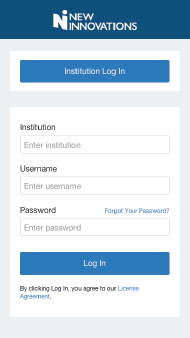
The first process we established was how to login. I used our company branding guide to create a first time user experience after downloading the app. This builds confidence in the user that they downloaded the correct app and that it is authentic.
We had some legacy tech issues to work around, which involves a customer to enter their Institution name, then their username and password. Some customers are setup to login with SSO which is where they will use the Institution Log In button.
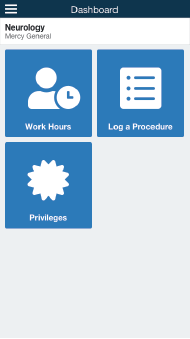
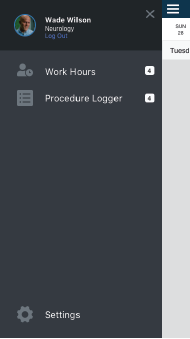
In an effort to make the “Home” area not look bare, we made the “tiles” larger to take up more screen real estate. We also created a slide out menu so the user could navigate the app from where ever they were in the app.
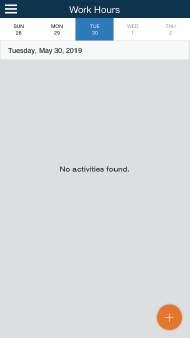
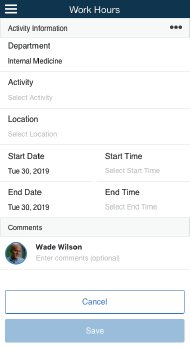
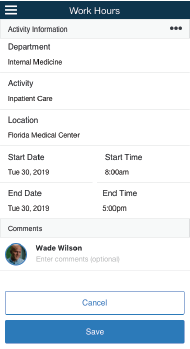
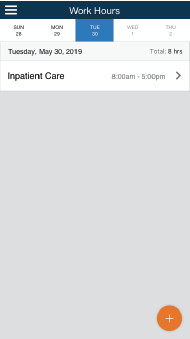
Our first action was going to be a highly requested feature of logging Duty Hours. When a Resident is on a Rotation it is important that they log everything they do. This is required for their educational requirements as well as safety so they do not work past the amount of hours they are allowed.
A Resident would see a default day of their current day, then click the orange plus in the bottom right to add a new Work Hour record. Once they enter the required fields they can save. There is also a comment section below where they can have a conversation with their Coordinator in the event there is an issue or mistake.
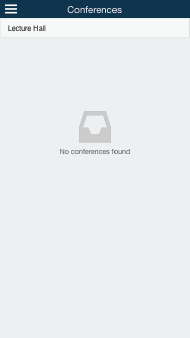
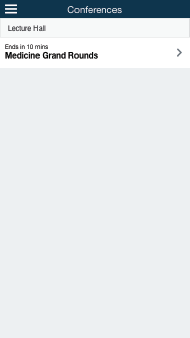
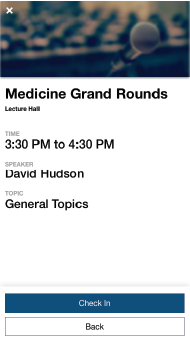
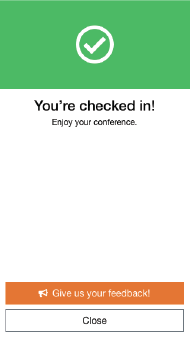
One of the Resident responsibilities is to attend conferences that are held within the hospital. I created a workflow that allows a Resident to scan a QR code, then confirm and check in to the conference. This feature was a time saver for the hospital because they did not need to take attendance. We also decided to add a button on the success screen so that the Residents could give us feedback on how easy the process was.


